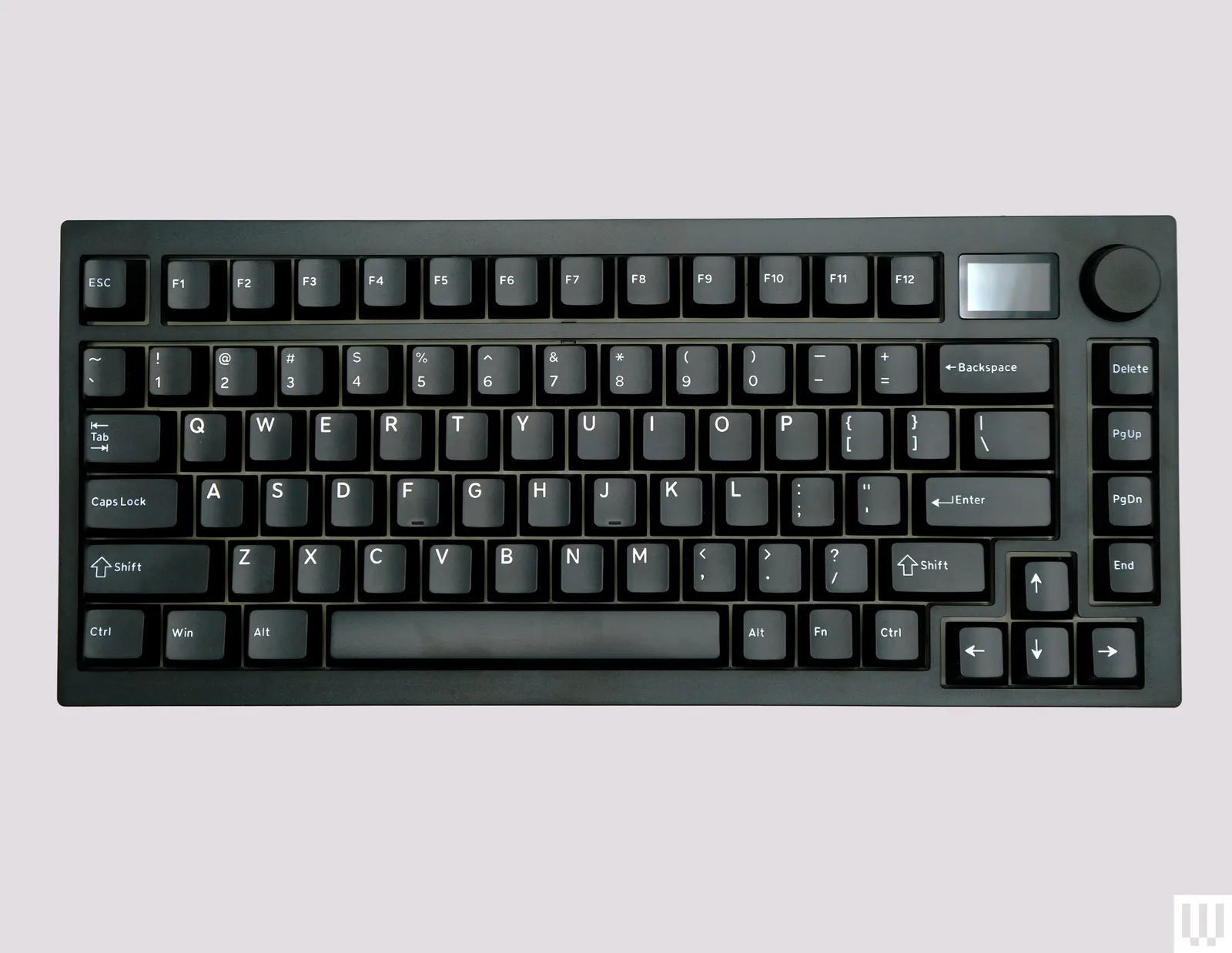
I switched from a standard membrane keyboard to a mechanical one for a full month of everyday typing — work documents, emails, this article — to find out if the hype is actually justified for regular typing, not just gaming. Our SSD vs HDD for Gaming guide covers a similarly hands-on comparison for a different upgrade decision.
In this article
- The Typing Feel Difference Is Real, Not Just Marketing
- Switch Types Matter More Than the Keyboard Brand
- The Noise Factor Is a Genuine Consideration
- The Learning Curve Was Shorter Than Expected
- Where the Extra Cost Actually Goes
- What I’d Actually Recommend Based on This Month
- Wrist Position Still Matters More Than Switch Type
- Keycap Material Affects Feel More Than People Expect
- Full-Size vs Tenkeyless vs Compact Layouts
- The Bottom Line
The Typing Feel Difference Is Real, Not Just Marketing
Mechanical switches provide tactile or audible feedback at a consistent actuation point, while membrane keyboards rely on a mushier rubber dome that requires bottoming out the key to register consistently. After a month, I noticed I was bottoming out far less on the mechanical board, which some research suggests reduces finger fatigue during long typing sessions, though this varies by individual.
Switch Types Matter More Than the Keyboard Brand
Mechanical keyboards come with different switch types — commonly linear (smooth, no tactile bump), tactile (a noticeable bump at actuation), and clicky (tactile bump plus an audible click). I found tactile switches the best fit for typing-heavy work, while linear switches felt better for gaming. a detailed breakdown of mechanical switch types covers the technical differences in more depth if you’re deciding between types before buying.
 Also readScreen Flickering on Windows 11: 9 Fixes for Laptops and External Monitors
The Noise Factor Is a Genuine Consideration
Clicky switches are noticeably loud — loud enough to be a real problem in a shared office or open workspace, which is worth factoring in before choosing based on typing feel alone. Tactile or linear switches with dampening rings offer much of the tactile benefit with meaningfully less noise, a reasonable middle ground for shared spaces.
The Learning Curve Was Shorter Than Expected
I expected a longer adjustment period, but typing speed and accuracy returned to normal within about three days, with the tactile feedback actually helping reduce typos from partially-pressed keys within a week or so. This matched what most reviews suggested, though individual adjustment time varies.
Where the Extra Cost Actually Goes
Mechanical keyboards cost meaningfully more than membrane boards, with the price difference reflecting more durable switches (rated for tens of millions of keystrokes versus a fraction of that for membrane), per-key backlighting options, and often hot-swappable switch sockets that let you change switch types without soldering. Consumer Reports’ keyboard durability testing has documented this durability gap in independent testing.
What I’d Actually Recommend Based on This Month
- For office/shared-space typing: tactile switches, ideally with dampening rings to reduce noise
- For home use where noise doesn’t matter: clicky switches genuinely feel satisfying for heavy typists
- For gaming-primary use: linear switches, which most competitive gamers prefer for rapid actuation
- Consider a hot-swappable board if you’re unsure which switch type you’ll prefer long-term
Wrist Position Still Matters More Than Switch Type
No keyboard, mechanical or otherwise, compensates for poor wrist positioning during long typing sessions. Pairing any keyboard upgrade with proper wrist support and a comfortable typing angle addressed more of my initial hand fatigue than the switch upgrade did on its own — worth keeping in mind before assuming a new keyboard alone will solve comfort issues.
Keycap Material Affects Feel More Than People Expect
Beyond the switch itself, keycap material (commonly ABS or PBT plastic) noticeably affects both the sound and the tactile feel of each keystroke, and PBT keycaps resist the shiny, worn look that ABS caps develop after months of regular use. This was a genuinely underrated factor I hadn’t considered before this test, and it’s worth checking which material a keyboard uses before buying if long-term feel and appearance matter to you.
Full-Size vs Tenkeyless vs Compact Layouts
Beyond switches, the physical layout matters for desk space and ergonomics — full-size boards include a number pad, tenkeyless (TKL) boards drop it for a more compact footprint, and even smaller 60% or 65% layouts remove additional keys like the function row. a comparison of keyboard layout sizes is worth reviewing if desk space or a more centered mouse position (achievable with a smaller board) matters to your setup.
The Bottom Line
A mechanical keyboard is genuinely worth it for everyday typing if you type for extended periods daily — the consistent actuation and reduced need to bottom out keys made a real, noticeable difference over a month of daily use. The switch type you choose matters more than the specific keyboard brand, and it’s worth trying a few switch types in person before committing if possible. For more accessory and hardware comparisons, browse our Gadgets & Accessories category.