
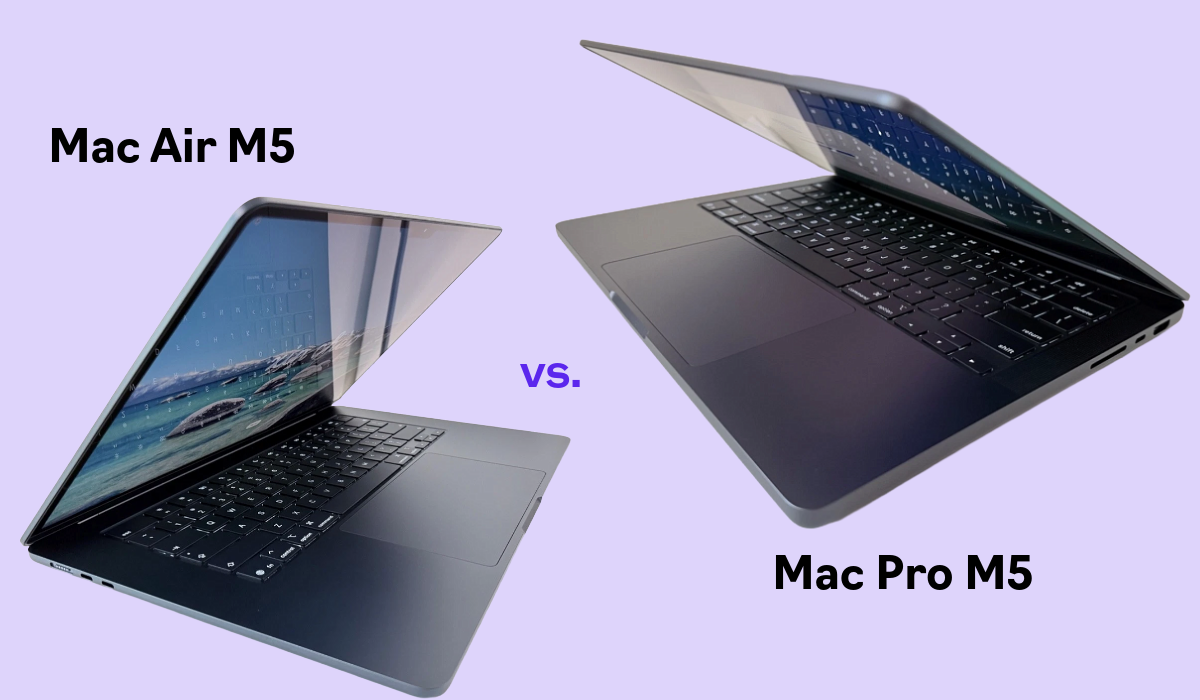
Apple’s 2026 laptop lineup puts the same M5 chip family inside two very differently priced machines, which makes this one of the more confusing MacBook decisions in years. If you’re only glancing at the spec sheet, our MacBook Air M5 review already covers why it’s the easiest recommendation for most buyers — but “most buyers” isn’t everybody, and the Pro exists for a reason. Here’s exactly where the $600 goes.
In this article
Price: A Real Gap, Not a Rounding Error
The 13-inch MacBook Air starts at $1,099, and the 15-inch model at $1,299. The 14-inch MacBook Pro, even with the same base M5 chip, starts at $1,699 — a genuine $400 to $600 jump depending on which Air size you’re comparing against. This isn’t a small “pay a bit more for the nicer badge” gap; it buys real hardware differences, covered below.
- 100% free
- Call direct
- Voice search
- Urdu & English
Display: The Biggest Everyday Difference
The Air uses a Liquid Retina display at up to 500 nits of brightness with P3 color and True Tone — genuinely good for a laptop in this price range. The Pro steps up to a Liquid Retina XDR display with dramatically higher peak brightness, deeper contrast, and ProMotion up to 120Hz for smoother scrolling and motion. Apple also offers an optional nano-texture glass finish on the Pro that meaningfully cuts glare in bright rooms or outdoor use — not available on the Air at any price. For anyone doing color-sensitive photo or video work, this alone can justify the upgrade.
 Also readMicrophone Not Working on Windows 11? 7 Fixes That Work
Performance and Cooling: Where the Pro Actually Pulls Ahead
Both machines can ship with the standard M5 chip, but the way they run it differs completely. The Air is fanless, which means it thermally throttles under sustained heavy load — fine for browsing, writing, and moderate creative work, but a real limitation during long video exports or extended compile jobs. Independent benchmark testing from Notebookcheck’s laptop lab has repeatedly shown this throttling pattern on fanless Apple silicon. The Pro’s active cooling lets the same chip sustain higher performance for longer, and the lineup scales further with M5 Pro and M5 Max configurations offering meaningfully more CPU and GPU cores for genuinely demanding workflows — closer to what you’d want if you’re also considering a gaming laptop under $1200 for GPU-heavy tasks on the Windows side.
Ports and Connectivity
The Air ships with two Thunderbolt 4 (USB-C) ports and no card reader or HDMI — a dongle is likely for anyone connecting more than a couple of peripherals. The Pro adds a third Thunderbolt 4 port, an SDXC card slot, and HDMI out, which matters a lot for photographers and video editors who move footage off cards regularly.
Battery Life and Everyday Use
Apple rates the Air for up to 18 hours, which holds up well in day-to-day use since it’s rarely under sustained load. The Pro’s larger battery combined with more efficient sustained performance under its active cooling generally edges it out for all-day heavy use, though the difference is less dramatic than the price gap might suggest for typical office or browsing workloads.
Who Should Buy the MacBook Air
Students, remote workers, and anyone whose heaviest daily task is a video call, a dozen browser tabs, or occasional light photo editing will be completely satisfied with the Air — it’s lighter, silent, and $600 cheaper for genuinely comparable everyday performance. If budget or portability matters more than headroom, this is the easy call.
Who Should Buy the MacBook Pro
Video editors doing regular exports, developers running long compile or build jobs, and anyone doing color-critical creative work will feel the Air’s thermal ceiling eventually. The Pro’s XDR display, extra ports, and sustained performance under load are built for exactly that kind of daily heavy use, not just occasional demanding tasks.
The Bottom Line
For most people, the MacBook Air M5 remains the better buy — it delivers nearly identical everyday performance for meaningfully less money. The Pro earns its price only if you regularly hit the Air’s thermal or connectivity limits: sustained rendering, color-critical work, or a genuine need for more ports. If you’re still deciding between Apple and Windows options more broadly, our best budget laptops under $600 guide covers the non-Apple side of that decision. Full current specifications for both lines are available on Apple’s official Mac comparison page.
