
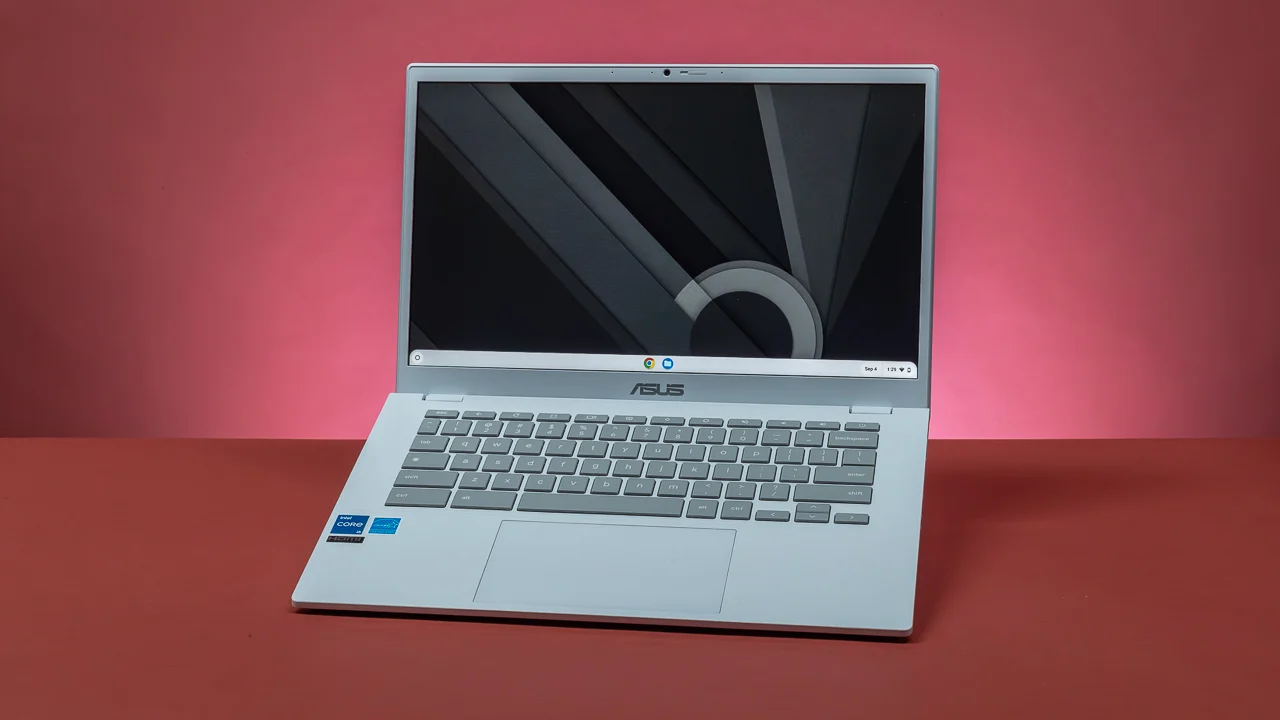
The average Windows laptop now costs more than $750, pushed up by AI-driven Copilot+ PC hardware inflating mid-range prices across the board. That makes the shrinking pool of genuinely good budget laptops under $600 feel more valuable than ever — and 2026 has delivered a few real surprises, including Apple’s first-ever sub-$600 Mac. Here’s what’s actually worth buying.
In this article
- The Big Story This Year: Apple Enters the Budget Market
- Best Overall: Apple MacBook Neo ($599)
- Best Windows Pick: Acer Aspire 15.6″ 2026 Edition
- Other Solid Options
- What Specs Actually Matter Under $600
- Windows vs. Chromebook vs. MacBook Neo: Which Fits You?
- Real-World Use Cases: Which Laptop for Which Person
- Setting Realistic Expectations
- Should You Wait for a Deal Instead?
- Frequently Asked Questions
- Final Thoughts
The Big Story This Year: Apple Enters the Budget Market
In March 2026, Apple did something it had never done before: released a MacBook under $600. The MacBook Neo starts at $599 ($499 for students and educators), runs on the A18 Pro chip — the same processor found in the iPhone 16 Pro — and features a 13-inch Liquid Retina display, up to 16 hours of battery life, and macOS Tahoe with Apple Intelligence built in. It comes in four colors (Silver, Blush, Citrus, and Indigo), with 8GB of RAM as the only configuration available.
- 100% free
- Call direct
- Voice search
- Urdu & English
The trade-offs compared to the standard MacBook Air (M5, starting at $1,099) are real: a less detailed display, shorter battery life, and no option to upgrade RAM. But for anyone wanting genuine macOS performance and build quality without the usual Apple price tag, it’s a legitimate category shift — reviewers have widely called it a “sensation,” and Apple reported its best-ever launch week for first-time Mac buyers following release.
 Also readMicrophone Not Working on Windows 11? 7 Fixes That Work
Best Overall: Apple MacBook Neo ($599)
- A18 Pro chip — comfortably ahead of most Intel Core Ultra 5 machines in single-threaded performance
- 13-inch Liquid Retina display, 500 nits brightness, 1 billion colors
- Up to 16-hour battery life
- 8GB RAM (fixed, no upgrade option), two USB-C ports, no MagSafe
If you’re open to macOS or already in the Apple ecosystem, this is the easiest recommendation in the category — genuinely premium build quality and display at a price Apple has never offered before.
Best Windows Pick: Acer Aspire 15.6″ 2026 Edition
- AMD Ryzen 5 7520U paired with 16GB DDR5 RAM — genuinely uncommon at this price point
- 6-inch Full HD IPS display, sharp and comfortable for extended sessions
- Battery life rated up to 13.5 hours — one of the strongest figures in this category
DDR5 memory noticeably improves responsiveness over the DDR4 setups common in older budget laptops. For buyers who need Windows specifically — for Adobe apps, specialized software, or simply familiarity — this is the strongest all-around pick under $600.
Other Solid Options
- Lenovo V15 Gen 4 — best pick for working from home, with a reliable keyboard and solid connectivity for video calls.
- ASUS VivoBook Go 15 — best for students, lightweight and practical for carrying between classes.
- HP Pavilion 15.6″ — best storage value among Windows options in this price range.
- Dell Inspiron 15 3000 — a dependable Dell pick with Intel Core i5 and a Full HD touchscreen, sitting right at the $600 ceiling.
What Specs Actually Matter Under $600
Every model worth considering in 2026 ships with at least 16GB RAM (Windows machines), a fast SSD, and a Full HD display — treat these as the minimum, not a bonus. Beyond that:
- Battery life: Look for 8+ hours of real-world use. Manufacturer ratings are typically measured at low brightness with light workloads — check independent reviews for a more accurate real-world figure.
- Processor: An Intel Core i5, AMD Ryzen 5, or Apple’s A18 Pro all comfortably cover everyday productivity, streaming, and light photo editing without much compromise.
- Storage: 512GB SSD is the sweet spot; anything less fills up quickly once you factor in apps, photos, and browser cache.
Windows vs. Chromebook vs. MacBook Neo: Which Fits You?
- Choose a Chromebook if: your work is entirely browser-based (Docs, research, streaming) — they boot faster, last longer on a charge, and need less maintenance.
- Choose Windows if: you need specific desktop software — Adobe apps, MATLAB, specialized programs that don’t run well on macOS or ChromeOS.
- Choose the MacBook Neo if: you want genuine macOS performance and display quality, and can live with 8GB of fixed RAM.
Real-World Use Cases: Which Laptop for Which Person
- College student on a tight budget: Acer Aspire 15.6″ or ASUS VivoBook Go 15 — enough power for coursework, note-taking, and video calls, with room left in the budget for accessories.
- Remote worker doing video calls all day: Lenovo V15 Gen 4 — reliable keyboard, decent webcam, and connectivity built with home-office use in mind.
- First-time Mac buyer: MacBook Neo — the lowest-cost entry point into macOS Apple has ever offered, ideal if you’re switching from a phone-first workflow.
- Light creative work (photo editing, basic video): MacBook Neo or the Acer Aspire with 16GB RAM — both handle lightweight editing tools without major slowdown, though neither replaces a dedicated creator laptop for serious work.
Setting Realistic Expectations
None of these machines are built for gaming, heavy video rendering, or professional 3D work — that’s still firmly the territory of laptops well above this price bracket. What’s changed in 2026 is that the sub-$600 category no longer means compromising on the basics: display quality, battery life, and everyday responsiveness are all genuinely solid across every recommendation here, which simply wasn’t true a few years ago.
Should You Wait for a Deal Instead?
With back-to-school demand tightening inventory through August each year, and Apple’s MacBook Neo already facing 2-3 week shipping delays shortly after launch due to strong demand, waiting for a markdown isn’t always realistic in this category — genuinely good budget laptops tend to sell out rather than go on sale. If you’ve found a model that fits the guidance above, buying when you find it in stock is usually the safer call. For broader context on the AI-hardware trend pushing mid-range prices up, see our guide on the best AI-powered laptops of 2026.
Frequently Asked Questions
Is the MacBook Neo worth it over a Windows laptop at the same price? If you value macOS, display quality, and battery life over raw RAM and upgradability, yes. If you need Windows-specific software, a comparable Windows machine will serve you better.
Can a $600 laptop actually replace a $1,000+ laptop? For everyday productivity, streaming, and browsing — largely yes in 2026. The gap remains real for gaming, heavy video editing, or professional creative work.
Should I buy 8GB or 16GB RAM if given the choice? 16GB is the safer choice for anyone multitasking heavily; 8GB (as on the MacBook Neo) is fine for browsing, documents, and media consumption but leaves less headroom for the future.
Final Thoughts
The under-$600 laptop category is more competitive in 2026 than it has been in years, largely thanks to Apple’s surprising entry with the MacBook Neo. Whether you go Apple, AMD, or Intel, the days of budget laptops meaning dim screens and sluggish performance are genuinely over — the real decision now is which ecosystem and software needs fit you best, not whether a sub-$600 machine can keep up.
