
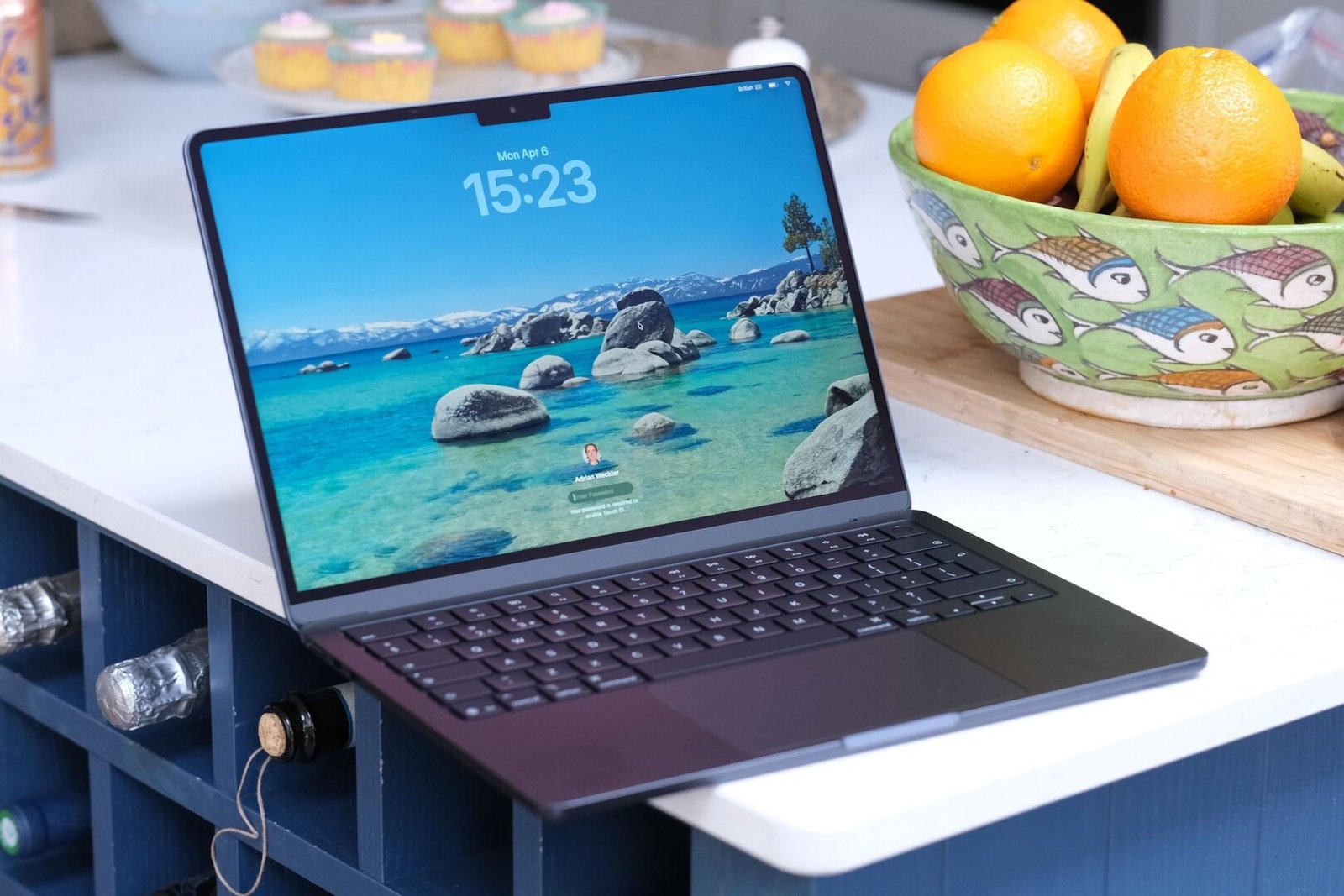
Apple’s MacBook Air has been the default recommendation for “just get a good laptop” for years now, and the M5 refresh doesn’t change that formula so much as quietly sharpen it. Announced March 3, 2026 and on shelves March 11, the M5 Air keeps the same fanless aluminum design Apple settled on a few years back, and layers in a faster chip, doubled base storage, and Wi-Fi 7. Nothing here is a dramatic redesign — and that’s mostly a good thing.
In this article
Price and Configurations
The 13-inch model starts at $1,099 with 16GB of unified memory and 512GB of storage — a jump from the previous generation’s 256GB base tier, which quietly fixes one of the most common complaints about the outgoing M4 Air. The 15-inch model starts at $1,299, and comes standard with the 10-core GPU variant of the M5 chip rather than the cut-down 8-core version used in the base 13-inch configuration.
- 100% free
- Call direct
- Voice search
- Urdu & English
Stepping up from there gets expensive fast: 24GB of RAM adds $200, 32GB adds $400, and the 10-core GPU chip is a $100 upgrade on its own for 13-inch buyers. For most people who aren’t doing heavy video work or large local AI models, the base 16GB/512GB configuration is the sensible stopping point.
 Also readMicrophone Not Working on Windows 11? 7 Fixes That Work
Performance: A Real, If Familiar, Step Up
The M5 chip first appeared in the MacBook Pro and iPad Pro in late 2025, so its performance characteristics were already well understood before the Air arrived. In the fanless Air chassis specifically, independent testing shows the chip thermal throttling under sustained load — unsurprising for a fanless design — with Cinebench scores settling from an initial burst around 3,400 down into the low 2,300s during extended multi-core work. Single-core performance holds up well even under thermal load, which matters more for the day-to-day snappiness most Air buyers actually care about.
Apple’s own figures claim image processing in Affinity is up to 2.7x faster than the M1 Air and 1.5x faster than the outgoing M4 model, and web browsing is up to 50% faster than a comparable Intel Core Ultra PC. Real-world testing generally supports the direction of those claims, if not always the exact multipliers.
Battery Life and Everyday Use
Apple rates the M5 Air for up to 18 hours of battery life, and in practice this remains one of the strongest arguments for the machine — most users doing typical work (browsing, writing, video calls, light photo editing) will comfortably get a full workday and then some without hunting for an outlet. The keyboard, trackpad, and overall build quality carry over largely unchanged from recent generations, which is a compliment rather than a criticism; both were already well regarded.
What Hasn’t Changed (And Might Bother Some Buyers)
The Air remains fanless, which caps sustained performance under heavy, prolonged workloads — this is not the machine for long video exports or large compile jobs on a regular basis. The display still runs at a standard 60Hz rather than the ProMotion refresh rate found on higher-end Apple devices, and the machine ships with just two USB-C ports, which will mean a dongle for anyone plugging in more than a couple of peripherals at once.
MacBook Air M5 vs. M4: Is the Upgrade Worth It?
For anyone currently using an M1 or M2 Air, the upgrade case is straightforward: faster performance, doubled base storage, and Wi-Fi 7 add up to a meaningfully better machine, particularly given how much storage anxiety plagued the 256GB base models of previous generations.
For M4 Air owners, it’s a much harder sell. The M4 remains a genuinely capable chip for the vast majority of everyday tasks, and the performance delta between M4 and M5 in real-world use is smaller than the benchmark charts suggest. Retailers have also been discounting the outgoing M4 15-inch model to as low as $1,099 — the same price as the new 13-inch M5 — which makes the M4 an unusually strong value pick for anyone who doesn’t need the latest chip specifically. If you’re weighing a MacBook against other 2026 laptop options more broadly, our Best AI-Powered Laptops to Buy in 2026 buying guide rounds up how this generation compares across brands.
Who Should Buy the MacBook Air M5
Students, remote workers, and anyone whose “heavy” computing means a dozen browser tabs, video calls, and the occasional Lightroom session will be well served by the base 13-inch configuration. Creative professionals doing regular, sustained rendering or export work should look at the MacBook Pro line instead, where the M5 Pro and M5 Max chips avoid the fanless thermal ceiling entirely.
The Bottom Line
The MacBook Air M5 doesn’t reinvent anything, and it doesn’t need to — it takes an already excellent formula and quietly removes the storage and Wi-Fi complaints that lingered from the previous generation. For most people shopping for a new laptop in 2026, it remains the easiest recommendation to make, provided you don’t already own last year’s model. For further reading on how this generation’s chip stacks up in Apple’s own numbers, see Apple’s official MacBook Air page.
