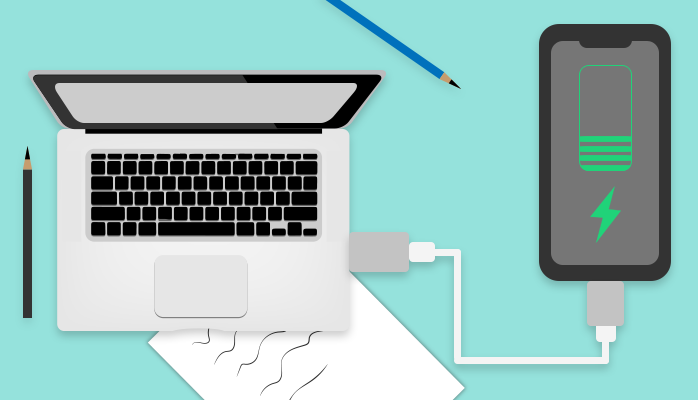
Plugging your phone into your laptop’s USB port for a quick charge is a habit almost everyone has, usually out of convenience rather than any real charging strategy. It’s generally safe — but it’s worth understanding what’s actually different from a wall charger.
In this article
The Short Answer: Yes, It’s Safe
Modern laptops and phones both include charging-management circuitry that prevents overcharging or dangerous power delivery, making laptop-to-phone charging fundamentally safe under normal conditions — the same safety protections built into wall charging apply here too.
The Real Trade-Off: It’s Meaningfully Slower
Laptop USB ports typically deliver far less power than a dedicated wall charger, especially older USB-A ports built primarily for data transfer rather than fast charging. A phone that fast-charges to full in under an hour from a proper wall adapter might take two to three times longer from a laptop’s standard USB port.
 Also readScreen Flickering on Windows 11: 9 Fixes for Laptops and External Monitors
USB-C Laptop Ports Change the Math Somewhat
Newer laptops with USB-C ports supporting USB Power Delivery can charge a phone considerably faster than older USB-A ports, sometimes approaching wall-charger speeds — but this depends heavily on the specific port’s power delivery capability, which varies laptop to laptop and isn’t always obvious without checking the spec sheet.
What Actually Happens to Your Laptop’s Battery
Charging your phone from your laptop while the laptop itself is unplugged draws directly from the laptop’s own battery, meaningfully draining it faster than normal use alone. If your laptop is plugged into a wall outlet while charging your phone, this isn’t a concern — the laptop is drawing from mains power and simply passing some through, not depleting its own battery.
A Case Where You Should Actually Be Careful
Older or cheaper laptops with poorly regulated USB ports can occasionally deliver inconsistent power that, over a long period, may contribute to marginally faster battery wear on some phones — though this is a genuinely minor, mostly theoretical concern for occasional charging. According to BGR’s breakdown of the actual safety considerations, the practical downside of laptop charging is almost entirely about speed and convenience, not genuine safety risk for typical modern devices.
When Laptop Charging Actually Makes Sense
It’s a genuinely reasonable option when you don’t have your regular charger available, need a modest top-up rather than a full charge, or are already working on your laptop and want to charge your phone without an extra outlet. For a full, fast charge on a time-sensitive schedule, a proper wall charger remains the better choice.
Frequently Asked Questions
Can charging my phone from my laptop damage either device?
Under normal use with modern hardware, no — both devices include protective charging circuitry. The main real downside is slower charging speed, not device damage.
Does charging speed differ between USB-A and USB-C laptop ports?
Yes, significantly — USB-C ports with Power Delivery support can charge phones meaningfully faster than older USB-A ports, which were primarily designed for data transfer rather than fast charging.
The Bottom Line
Charging your phone from your laptop is safe for virtually all modern devices — the only real cost is speed, and depending on your laptop’s port type and power situation, sometimes a faster laptop battery drain. It’s a perfectly reasonable backup option, just not a replacement for a proper wall charger when speed actually matters.