
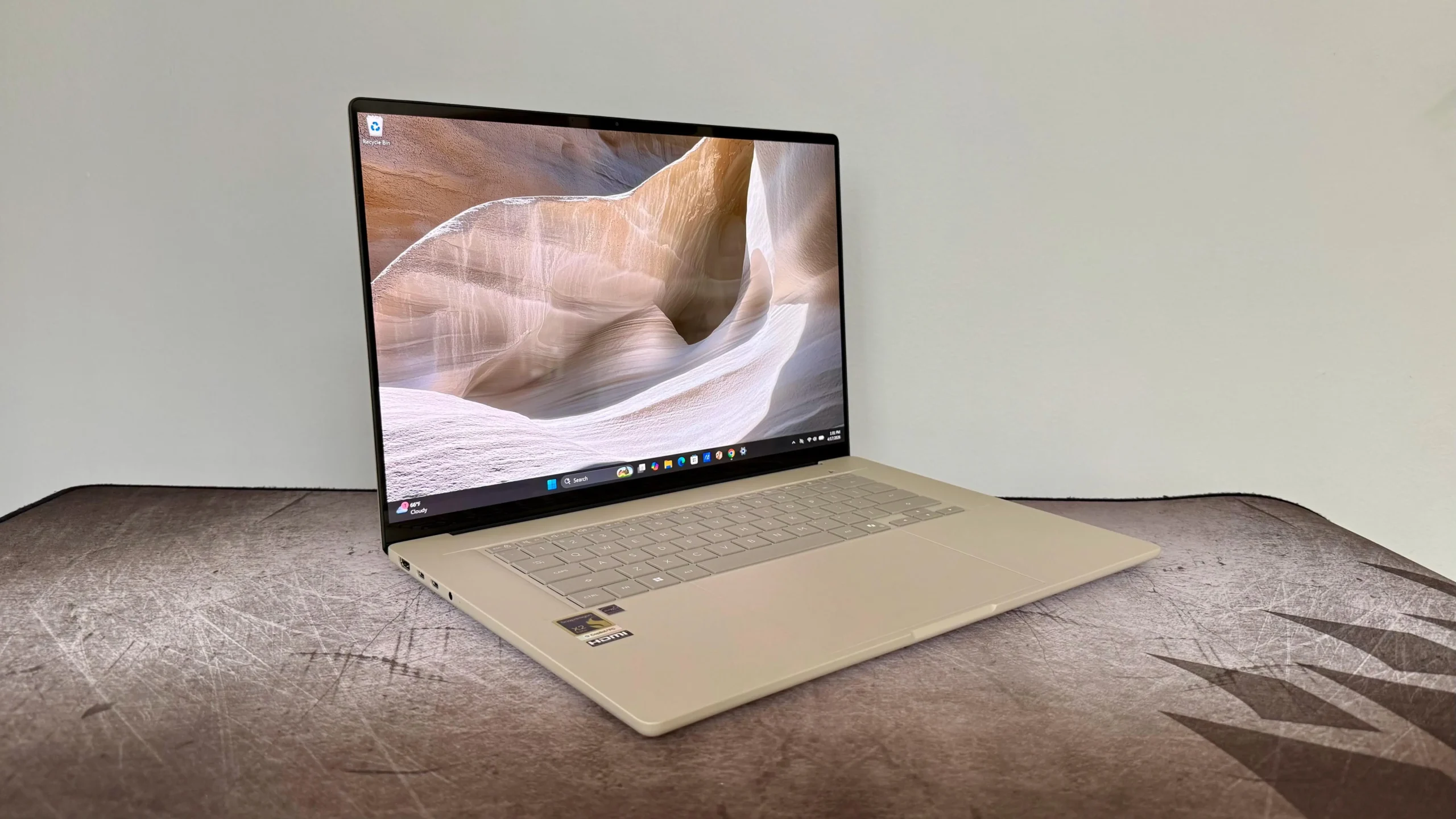
Every laptop ad in 2026 seems to mention AI somewhere on the box — Copilot+ PC, Ryzen AI, Core Ultra, Snapdragon X, NPU, TOPS. Some of that matters. Some of it is just decoration on a normal spec sheet. This guide to the best AI laptops 2026 cuts through the labels and focuses on what actually changes your day-to-day experience, plus which specific machines are worth buying right now.
In this article
What Actually Makes a Laptop “AI-Powered”?
The meaningful difference is the NPU (Neural Processing Unit) — a dedicated chip that handles AI workloads locally, without draining your CPU, GPU, or battery the way cloud-dependent AI features do. Microsoft’s Copilot+ PC certification requires an NPU rated at 40+ TOPS (trillions of operations per second), along with a minimum of 16GB RAM and 256GB storage. In 2026, most premium chips comfortably exceed that baseline — Snapdragon X2 systems reach 80-85 TOPS, newer AMD Ryzen AI 400 chips hit up to 60 TOPS, and Intel Core Ultra Series 3 parts offer around 50 TOPS.
- 100% free
- Call direct
- Voice search
- Urdu & English
A useful gut check before buying: would you still want this laptop if the AI badge disappeared entirely? Screen quality, battery life, weight, and app compatibility should still come first — the NPU is a genuine bonus, not a replacement for the basics.
 Also readMicrophone Not Working on Windows 11? 7 Fixes That Work
The Three Chip Families, Explained
- Qualcomm Snapdragon X Elite / X2 (ARM): Best-in-class battery life (often 15-29 hours real-world) and the highest NPU performance. The tradeoff is ARM compatibility — Windows on ARM now runs most x86 apps at 80-95% of native speed, and major software (Microsoft 365, Adobe, Chrome, Zoom, Slack) is native ARM in 2026. Specialty engineering tools, some VPN clients, and many games still don’t have ARM ports.
- Intel Core Ultra Series 2/3 (x86): Full x86 compatibility with no emulation guesswork, a strong integrated GPU (Arc Xe2), and a roughly 48-50 TOPS NPU. The safe, no-surprises choice for anyone running specialized Windows software.
- AMD Ryzen AI (x86): A strong all-around blend of x86 compatibility, solid integrated graphics, and competitive NPU performance up to 60 TOPS on newer chips — a good middle ground between Intel’s compatibility and Qualcomm’s efficiency.
Best AI Laptop Picks for 2026
Best Overall (Balanced Pick): Lenovo Slim 7i Aura Edition
Built around Intel Core Ultra rather than betting on ARM compatibility, this is the least dramatic — and safest — recommendation for most buyers. Light, well-balanced, and reliable for everyday productivity plus the standard suite of Copilot+ features.
Best Value: ASUS Vivobook 16
Copilot+ certified starting around $829.99, the Vivobook 16 delivers the AI feature set without the premium price tag most “AI laptop” marketing implies. A solid pick if you want the badge and the basics without paying for extras you won’t use.
Best for Business: Lenovo ThinkPad T14 Gen 6
Running AMD Ryzen AI, the ThinkPad T14 Gen 6 pairs long real-world battery life with ThinkPad’s traditional durability and keyboard quality — a strong choice for professionals who live in spreadsheets, video calls, and documents all day.
Best for Creators: Lenovo Yoga Slim 7x
The standout here is a 14.5-inch 3K OLED display with 100% DCI-P3 color coverage and 1000-nit peak brightness — genuinely one of the best screens in the Copilot+ category. Built on Snapdragon X Elite, it’s a strong pick for photo and video editing work where color accuracy matters.
Best Premium All-Rounder: Microsoft Surface Laptop
The 13.8-inch PixelSense Flow display in its taller 3:2 ratio gives more usable vertical space for documents and web browsing, with a 45-TOPS NPU shared across both the Snapdragon X Elite and X Plus configurations. After extended use, reviewers consistently note it as the most complete, polished Copilot+ experience available.
For more on getting the most out of Windows AI features once you’ve picked a machine, see our guide on ChatGPT vs Claude vs Gemini — since most on-device AI laptop features work alongside, not instead of, a cloud AI assistant subscription.
Battery Life: What to Realistically Expect
Marketing numbers for battery life are measured under ideal, low-brightness, minimal-background-task conditions that rarely match real use. As a practical guide: Snapdragon-based Copilot+ PCs typically deliver 12-18 hours of real-world mixed use despite 20+ hour marketing claims, Intel Core Ultra machines land in the 8-12 hour range, and AMD Ryzen AI systems fall similarly in the 8-13 hour range depending on screen brightness and workload. If all-day battery away from a charger is your top priority, Snapdragon-based machines still hold a meaningful real-world edge over x86 alternatives in 2026.
Is It Worth Upgrading From a Non-AI Laptop?
If your current laptop is more than three to four years old, the jump to a current-generation AI laptop usually brings a bigger overall improvement in battery life and everyday responsiveness than the NPU itself — the AI features are a bonus layered on top of what would already be a worthwhile upgrade. If your laptop is one or two years old and running well, waiting for your NPU-equipped laptop’s price to drop, or for Windows to ship more mature on-device AI features, is a reasonable choice rather than upgrading purely for the AI badge today.
Do You Actually Need an AI Laptop?
If your daily work is mostly browsing, documents, and video calls, overall build quality and battery life will affect your experience far more than NPU TOPS numbers. The NPU genuinely helps with background blur and lighting effects in video calls, live transcription and captions, local language translation, and any on-device AI photo or writing tools your apps add over time. If none of that appeals to you yet, a well-reviewed non-AI laptop from the last two years will still serve you well — but given that virtually every new mid-range and premium laptop now ships with a capable NPU by default, there’s rarely a price penalty for getting one anyway.
Frequently Asked Questions
Do I need 32GB of RAM for an AI laptop? 16GB is the Copilot+ minimum and fine for everyday use; 32GB is worth it for heavy multitasking or running local AI language models on-device.
Will AI laptop features work offline? On-device Copilot+ features run offline using the NPU; cloud-based Copilot services still require an internet connection.
Does a higher TOPS number always mean better performance? Not necessarily — software has to be specifically built to use the NPU, so a higher TOPS rating doesn’t automatically translate to a faster experience in every app.
Final Thoughts
The best AI laptop for you depends far more on your existing software needs and budget than on chasing the highest TOPS number. Choose Snapdragon for the best battery life if your key apps are ARM-native, Intel for guaranteed x86 compatibility, or AMD Ryzen AI for a strong middle ground. For more laptop and PC coverage, browse the Laptops & PCs section on DailyTechReview.
