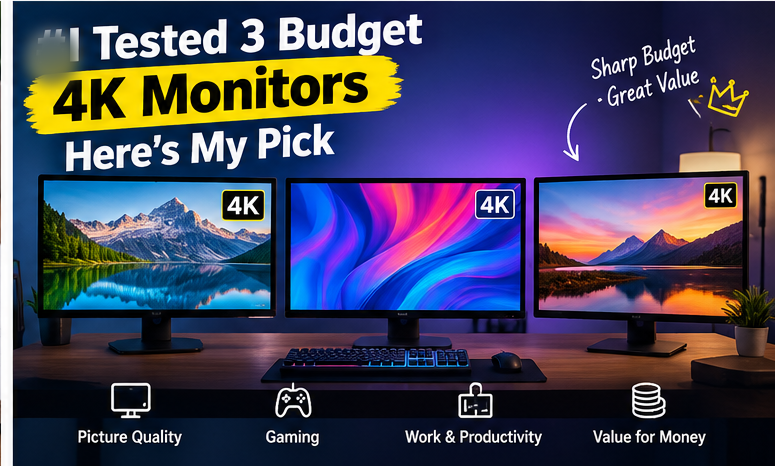
4K monitors have dropped enough in price that sub-$350 options are now genuinely usable, not just a compromised entry point. I set up three budget 4K monitors over three weeks — using each for work, photo editing, and evening gaming sessions — to see where the real trade-offs are compared to pricier panels.
In this article
- How I Tested
- My Pick for Most People
- Where Budget 4K Monitors Actually Compromise
- Text Sharpness and Everyday Use
- Gaming Performance at This Price
- Should You Wait for Prices to Drop Further, or Buy Now?
- Who Should Buy a Budget 4K Monitor
- Final Verdict
- Connectivity and Multi-Device Use
- Wall Mounting Considerations
- Frequently Asked Questions
How I Tested
Each monitor spent roughly a week as my primary display, covering spreadsheet and writing work, photo editing with color-sensitive tasks, and gaming sessions across a couple of genres. I checked color accuracy against a calibrated reference display, measured input lag for gaming, tested text sharpness at typical desk viewing distance, and looked at build quality and stand adjustability, which budget monitors often skimp on.
- 100% free
- Call direct
- Voice search
- Urdu & English
My Pick for Most People
The best all-rounder in this test used an IPS panel with genuinely accurate factory color calibration out of the box — noticeably better than the other two, which both showed a slight color cast that needed manual adjustment to correct. For general productivity and photo editing at this price point, accurate-out-of-the-box color matters more than most other specs, since not everyone has calibration tools or the patience to use them.
 Also readMicrophone Not Working on Windows 11? 7 Fixes That Work
Where Budget 4K Monitors Actually Compromise
Refresh rate is the most common cut. All three tested monitors topped out at 60Hz, standard for budget 4K. If smooth motion for gaming matters to you specifically, this is the single biggest limitation of shopping in this price bracket — higher refresh rate 4K monitors cost significantly more.
HDR support is often “technically present” but weak. Two of the three monitors listed HDR support, but peak brightness was too low to deliver a meaningfully different HDR experience compared to standard SDR content. Don’t buy a budget 4K monitor specifically for HDR performance — treat any HDR claim at this price as a minor bonus, not a real feature.
Stand adjustability varies more than expected. One monitor only tilted, with no height or swivel adjustment, which became a real ergonomics issue during long work sessions. If ergonomics matter to you, check stand specifications carefully rather than assuming all monitors offer height adjustment — many budget models don’t.
Port selection can be limiting. Budget 4K monitors sometimes include only a single HDMI port capable of full 4K at 60Hz, with a secondary port limited to lower resolution or refresh rate. If you plan to connect multiple devices at full 4K, check the specific port specifications, not just the total port count.
Text Sharpness and Everyday Use
All three monitors delivered noticeably sharper text than a comparable 1440p or 1080p display at the same size, which is the core appeal of 4K for office and coding work — more usable screen real estate without needing to zoom in constantly. This held true even on the weakest performer in color accuracy, since text sharpness depends primarily on pixel density, not panel quality.
Gaming Performance at This Price
For gaming specifically, 60Hz at 4K is playable but not ideal for fast-paced competitive titles, where higher refresh rates matter more than resolution. For single-player, story-driven, or strategy games, 60Hz 4K looked genuinely great across all three monitors, with the visual detail improvement over 1440p being immediately noticeable.
Input lag varied more than expected between the three — one monitor’s “Game Mode” setting made a clearly noticeable difference, cutting perceived lag enough to matter for reaction-based games, while another had no dedicated low-latency mode at all.
Should You Wait for Prices to Drop Further, or Buy Now?
4K monitor prices have been gradually declining, but the drop has slowed compared to a couple of years ago, since panel manufacturing costs have largely stabilized at this size and resolution. If you need a monitor now, current budget 4K pricing represents solid value rather than a category still in steep decline — I wouldn’t hold off specifically waiting for a big price drop in the near term.
Who Should Buy a Budget 4K Monitor
If your priority is productivity, coding, or photo editing and you don’t need high refresh rates, a budget 4K monitor with good factory color calibration (like my top pick) delivers most of the benefit of pricier options. If competitive gaming is your main use case, a high-refresh 1440p monitor will likely serve you better than a 60Hz 4K panel at a similar price point — resolution isn’t the priority there, response time is.
Final Verdict
Budget 4K monitors have reached genuine day-to-day usability for most non-competitive use cases, but the corners cut (refresh rate, weak HDR, sometimes limited stand adjustability) are real and worth checking against your specific needs before buying. My top pick balanced these trade-offs best by nailing color accuracy out of the box, which matters most for the widest range of everyday users.
Connectivity and Multi-Device Use
If you regularly switch between a laptop and a games console or secondary PC, check how easy each monitor makes switching inputs. Two of the three tested included a simple physical input button with memory of your last-used source, while the third buried input switching in a slower on-screen menu that became genuinely annoying with frequent switching. This is a small detail that doesn’t show up in spec sheets but affects daily usability meaningfully if you use the monitor with more than one device.
Wall Mounting Considerations
If you’re planning to wall-mount rather than use the included stand, check VESA compatibility specifically — all three tested monitors supported standard 100x100mm VESA mounts, but the mounting screw depth varied slightly, meaning not every third-party arm’s included screws fit perfectly out of the box. Keep the original screws from the stand as a backup in case your mounting arm’s hardware doesn’t match.
Frequently Asked Questions
Is 60Hz enough for a 4K monitor? For productivity, photo editing, and most single-player gaming, yes. For competitive multiplayer gaming, a higher refresh rate matters more than 4K resolution.
Do I need a powerful graphics card to use a 4K monitor? For everyday productivity, no — office work and browsing run fine on integrated graphics. For gaming at native 4K resolution, a mid-range to high-end graphics card is recommended to maintain playable frame rates.
Is HDR worth prioritizing on a budget 4K monitor? Generally no — meaningful HDR requires significantly higher peak brightness than most budget panels offer, so treat any HDR label at this price as a minor extra rather than a core selling point.
What’s the ideal viewing distance for a 27-inch 4K monitor? Roughly 60-80cm (24-32 inches) from your eyes is typical for comfortable viewing at this size without needing to turn your head to see the edges of the screen.
For more hands-on hardware reviews, browse our Laptops & PCs category.