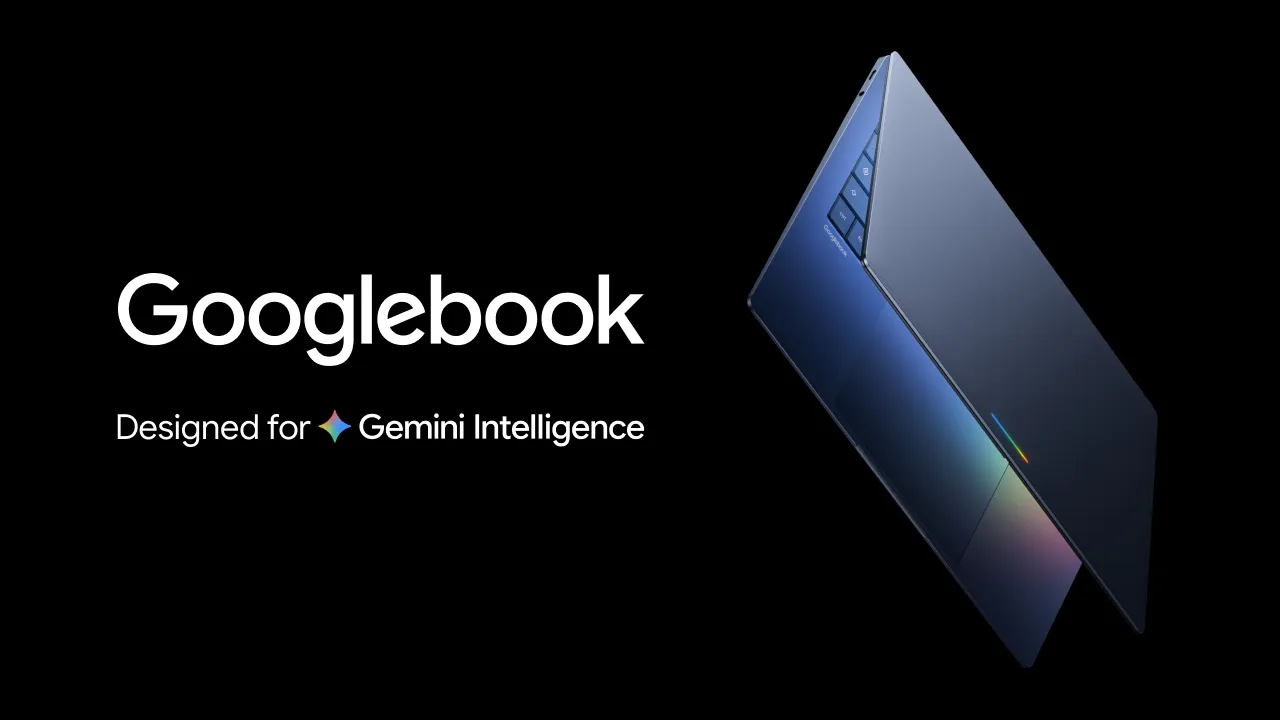
For more than a decade, Google’s answer to the laptop was the Chromebook: simple, cheap and built around the browser. In May 2026, Google previewed something different. Googlebook is a new laptop platform built on Android, designed to work closely with your phone and to make Gemini a part of everyday computing. Reviewers called it Google’s most direct challenge to the MacBook in years. But the first hardware is not out yet, and a lot of key details, such as price, are still unknown. This guide explains what Googlebook is, what has been confirmed, how it compares with a Chromebook, and who should buy now and who should wait.
In this article
- What Is Googlebook?
- What Has Been Confirmed So Far
- How Googlebook Differs From a Chromebook
- What Magic Pointer and Cast My Apps Could Mean
- Who Should Wait for Googlebook?
- Who Should Not Wait?
- What to Check When the First Models Arrive
- Will Googlebook Replace Windows or macOS for You?
- Questions That Remain Unanswered
- How Googlebook Could Change Everyday Use
- Questions to Ask Before You Commit to Any New Platform
- What Chromebook Owners Should Do Now
- Frequently Asked Questions
- The Bottom Line
What Is Googlebook?
According to Techlicious’s report on the announcement, Google previewed Googlebook on 12 May 2026. It is built on Android, not as a fork of ChromeOS. It combines Android apps and Google Play with the Chrome browser, extensions and Chrome’s security features. In practice that means a laptop that can run phone-style apps alongside a full desktop browser, a combination that Chromebooks have only partly achieved. The details come from the Techlicious report on the Googlebook announcement.
What Has Been Confirmed So Far
| Area | What is known |
| Operating system | Built on Android, with Google Play and the Chrome browser, extensions and security features |
| Hardware partners | HP, Dell, Lenovo, Acer and Asus are confirmed; Samsung is not on the list, though Google suggested the list may grow |
| Gemini features | Magic Pointer, a cursor that uses Gemini to understand on-screen context and suggest actions; Create my widget for Gemini-powered widgets |
| Phone integration | Cast my apps opens an Android phone app on the laptop without installing it; the file browser shows files stored on your phone |
| Release timing | Full hardware lineup to be revealed later this year; not expected in stores before the holiday season |
| Price | Not announced |
| Processors | Not specified in the report we reviewed |
 Also readUSB Device Not Recognized in Windows 11? 11 Fixes That Work
Because Google has not announced pricing or specifications, anything about performance and value is guesswork for now. That uncertainty is the most important thing to remember when you decide whether to wait.
How Googlebook Differs From a Chromebook
- Foundation: Chromebooks run ChromeOS, while Googlebook is built on Android
- Apps: Googlebook is designed to run Android apps natively with Chrome, whereas Chromebooks rely on web apps and a Play Store layer
- Phone link: Googlebook emphasises features that link your Android phone and laptop, such as running a phone app without installing it
- AI: Gemini is built into the experience, including Magic Pointer
- Support: Google’s presenter said Chromebooks will be supported for their lifetime and cited 10-year support commitments
Google did not directly answer whether Googlebook replaces Chromebooks, though Techlicious’s author argued that it effectively does. For now, the safest reading is that Chromebooks will continue to be supported, while Googlebook is the next direction for Google’s laptops.
What Magic Pointer and Cast My Apps Could Mean
Magic Pointer
This is a cursor that uses Gemini to understand what is on your screen. In theory, you hover over a paragraph, a table or an image, and the system suggests relevant actions: summarise, rewrite, translate or extract data. Features like this are only useful if they are accurate and fast, so wait for hands-on reviews before judging.
Cast my apps
If you have an Android phone, you can open one of its apps on the laptop without installing it. This could be handy for apps that only exist on phones, such as certain banking or messaging apps. Questions remain about performance and how well phone apps adapt to a large screen with a keyboard and trackpad.
Phone files in the file browser
Seeing your phone’s files in the laptop’s file browser removes a common annoyance: moving photos and documents between devices. Whether it works over Wi-Fi, USB or the cloud will affect how smooth it feels.
Who Should Wait for Googlebook?
- Android phone owners who want tight phone-to-laptop integration
- Students and families considering a Chromebook who do not need a laptop right now
- People who like Google’s services such as Gmail, Docs, Drive and Gemini
- Buyers who want a simple, secure laptop and can wait until the holiday season for the first models
- Anyone who would rather see price and performance before buying
Who Should Not Wait?
- Anyone whose laptop has stopped working and needs a replacement now
- Users who depend on specific Windows or macOS software, such as professional creative tools
- Buyers who need a guaranteed price and specification today
- People who prefer a proven product over a first-generation platform
First-generation platforms often have rough edges, even when the idea is sound. If your work depends on your laptop, buy something reliable rather than betting on an unfinished launch.
What to Check When the First Models Arrive
- Price: compare with Chromebooks, Windows laptops and MacBooks at similar prices
- Memory and storage: see how much RAM and storage the base model offers; our guide to how much RAM you need explains what is enough for everyday use
- Battery life in independent tests, not manufacturer claims
- App support: check that the apps you use work well on a large screen
- Update promise: look for a clear, long support period
- Privacy controls for Gemini features, including what data is processed on the device and what goes to the cloud
- Build quality, screen, keyboard and trackpad, which matter as much as software
Memory and storage choices matter more than ever with rising component prices; our guide on how much RAM you really need and our comparison of SSD vs HDD storage give you a basis to judge specifications when they are announced.
Will Googlebook Replace Windows or macOS for You?
Probably not for everyone. Windows and macOS have deep software libraries, especially for professional video editing, engineering, gaming and enterprise tools. Googlebook is likely to appeal first to people whose lives are already centred on Google services and Android. If you mostly browse, write, collaborate online, watch video and use a handful of apps, it may be all you need. If you rely on specialised software, check compatibility before making a decision.
Questions That Remain Unanswered
- How much will Googlebook laptops cost?
- Which processors will they use, and how will performance compare?
- How long will each model receive updates?
- How will it handle existing Chromebook users and managed school devices?
- Which Gemini features will be free, and which may need a subscription?
- How well will iPhone owners be served, if at all?
How Googlebook Could Change Everyday Use
Imagine a typical day. You start a message on your phone and finish it on your laptop without copying anything. You open a banking app that exists only on Android straight from the laptop. You ask Gemini to summarise a long document by pointing at it, and it offers to turn a table into a chart. None of this is guaranteed, and some of it may arrive later than others, but it shows the direction: fewer walls between your phone and your computer.
Questions to Ask Before You Commit to Any New Platform
- How many years of updates will the laptop receive?
- Is there a refund or return period if the experience disappoints?
- Do the apps I rely on every day have good large-screen versions?
- Can I use my laptop offline when needed?
- Is the price competitive with proven alternatives?
- What happens to my files if I switch back to another system?
What Chromebook Owners Should Do Now
If you already own a Chromebook, there is no need to panic. Google has said that Chromebooks will be supported for their lifetime and pointed to 10-year support commitments. Keep using your device, keep it updated and watch how Googlebook develops. When your Chromebook reaches the end of its support period, you will have more information to choose its replacement.
Frequently Asked Questions
Is Googlebook the same as a Chromebook?
No. Googlebook is built on Android, while Chromebooks run ChromeOS. Google says Chromebooks will remain supported.
When can I buy a Googlebook?
Google said the full lineup will be revealed later this year, and devices are not expected in stores before the holiday season.
Which brands make Googlebooks?
HP, Dell, Lenovo, Acer and Asus have been confirmed as partners so far.
Do I need an Android phone?
Many of the highlighted features link to an Android phone, so Android owners will likely get the most from it. Details for other phones have not been confirmed.
The Bottom Line
Googlebook is an ambitious idea: an Android-based laptop that blends phone apps, Chrome and Gemini. The confirmed details are promising, but price, performance and long-term support are unknown. If you are happy with your current laptop, or you are an Android fan who can wait until the holiday season, it is worth watching closely. If you need a laptop today, buy something proven and revisit Googlebook when the first reviews arrive.