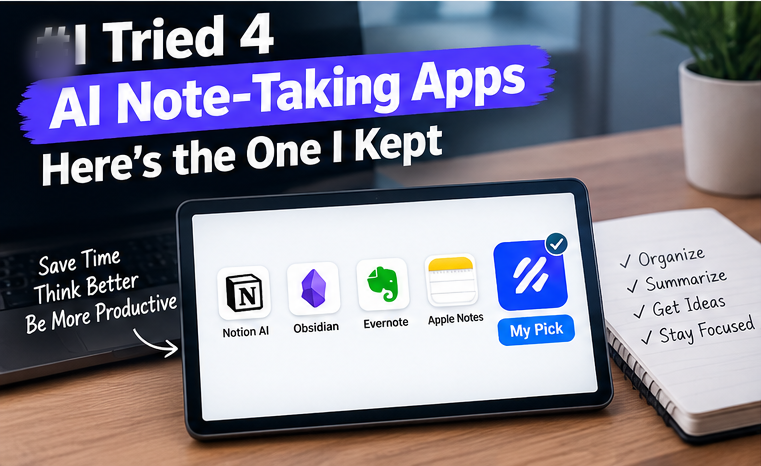
AI note-taking apps promise to transcribe, summarize, and organize your meetings and ideas automatically. I used four popular options for a month across real work meetings, research reading, and personal note-taking to see which ones actually earn a spot in a daily workflow versus which ones are impressive in a demo but frustrating in practice.
In this article
How I Tested
Each app was used for at least a week as my primary note-taking tool, covering three recurring meeting types (team calls, one-on-ones, and a recorded interview), plus general note capture for research and daily to-dos. I evaluated transcription accuracy, summary quality, how well each app organized notes for later retrieval, and — critically — how much manual cleanup each summary needed before it was actually useful.
- 100% free
- Call direct
- Voice search
- Urdu & English
The One I Kept Using
After the month ended, one app remained on my home screen while the other three got quietly uninstalled. What set it apart wasn’t raw transcription accuracy — the differences there were smaller than I expected between apps — but the quality of its automatic summaries. It consistently pulled out actual action items and decisions rather than just condensing the transcript, which meant I could skim a summary and know what to do next without re-reading the full transcript.
 Also readHow to Free Up Disk Space on Windows 11: 12 Safe Ways I Use on Every PC
Where the Differences Actually Showed Up
Transcription accuracy was good across the board. All four apps handled clear audio in quiet rooms well, with accuracy dropping noticeably for all of them in noisier environments or with multiple people talking over each other — an expected limitation rather than a specific app failure.
Summary quality varied significantly. This is where the real gap appeared. Two apps produced summaries that were essentially shortened transcripts, still requiring me to hunt for action items myself. The best performer specifically separated “decisions made,” “action items,” and “open questions” into distinct sections, which saved real time after every meeting.
Search and retrieval quality mattered more than I expected. Notes are only useful if you can find them later. The app I kept using had noticeably better semantic search, letting me search for a concept rather than an exact phrase and still find the relevant meeting notes from weeks earlier.
Integration with existing tools varied. If you already use a specific calendar or task manager, check integration quality specifically — one app I tested had calendar sync that worked flawlessly, while another required manual meeting linking that undermined the “automatic” pitch.
The Privacy Question Worth Asking
AI note-taking apps that join calls to record and transcribe raise a real question about consent and data handling, especially for client or sensitive internal meetings. Before adopting one for work use, check where transcripts are stored, whether they’re used for any model training by default, and your organization’s policy on recording meetings — this varies significantly by jurisdiction and by company policy, and it’s worth confirming rather than assuming.
Where All Four Apps Struggled
Handling technical jargon and acronyms specific to a niche industry was a consistent weak point across every app tested — all four occasionally transcribed technical terms incorrectly, requiring manual correction. If your work involves heavy industry-specific terminology, expect to do some manual cleanup regardless of which app you choose.
Pricing Considerations
Most AI note-taking apps follow a freemium model, with free tiers typically capping monthly transcription minutes or number of meetings. For occasional use, a free tier is often sufficient; for daily meeting-heavy roles, expect to pay somewhere in the $10-25/month range for unlimited or high-limit plans, which was true across all four apps tested, with only modest pricing differences between them.
Who Should Use Which Type
If your priority is accurate raw transcription for research or interviews you’ll review in full later, any of the four tested apps handled this adequately — the differences matter less here. If your priority is meeting efficiency (fast action items, less post-meeting cleanup), the summary quality differences become the deciding factor, and it’s worth trialing free tiers of a couple of options specifically to compare summary output on your own real meetings before committing to a paid plan.
Final Verdict
The app that survived my month of testing won on summary usefulness, not raw accuracy — a distinction that doesn’t always show up in marketing comparisons but made the biggest practical difference day-to-day. If you’re choosing between options, don’t just test transcription quality; specifically evaluate whether the automatic summary saves you real time versus just being a shorter wall of text.
Setting Up Each App for Best Results
Getting good results from any of these tools took more setup than I initially expected. Naming speakers correctly early on made summaries far more useful than leaving default “Speaker 1, Speaker 2” labels, and setting up integrations with calendar and task tools before your first real meeting saves significant manual work later. Two of the four apps also let you train custom vocabulary for recurring technical terms or names, which meaningfully improved transcription accuracy over the following weeks once configured, rather than starting from a generic model with no context about my specific work.
Team Use vs Solo Use
I also briefly tested how each app handled shared team access, since several offer workspace features for sharing meeting notes across a team rather than keeping them private. The best-performing app for individual summaries wasn’t necessarily the strongest for team collaboration — one competitor had noticeably better shared-workspace organization and permission controls, which matters more if you’re evaluating this for a whole team rather than personal use alone.
A Final Practical Tip
Regardless of which app you choose, review and edit summaries within 24 hours of the meeting while context is still fresh in your memory. Every app in this test occasionally misattributed a comment to the wrong speaker or missed nuance that only a human reviewer familiar with the meeting would catch — a quick same-day review catches these errors before they become the permanent record you refer back to weeks later.
Frequently Asked Questions
Do AI note-taking apps work well with accents or multiple languages? Accuracy varies more with accents than with most other factors tested — if this matters for your use case, test with your own real audio before committing to a paid plan.
Is it legal to record meetings with an AI note-taker? This depends on your jurisdiction and whether all participants consent to recording — laws vary significantly, so check local requirements and your organization’s policy before using one for external or client calls.
Can these apps work offline? Most rely on cloud processing for transcription and summarization, though a few offer limited offline transcription with reduced accuracy — check specifically if offline use matters for your workflow.
How accurate is AI transcription compared to a human transcriptionist? Modern AI transcription in good audio conditions is generally comparable to a competent human transcriptionist for standard speech, though it still lags noticeably behind on heavy accents, overlapping speakers, and specialized terminology.
For more software reviews like this, browse our Apps & Software category.
External reference: Electronic Frontier Foundation’s guidance on call recording laws{:target=”_blank” rel=”nofollow noopener”} for background on consent requirements across jurisdictions.