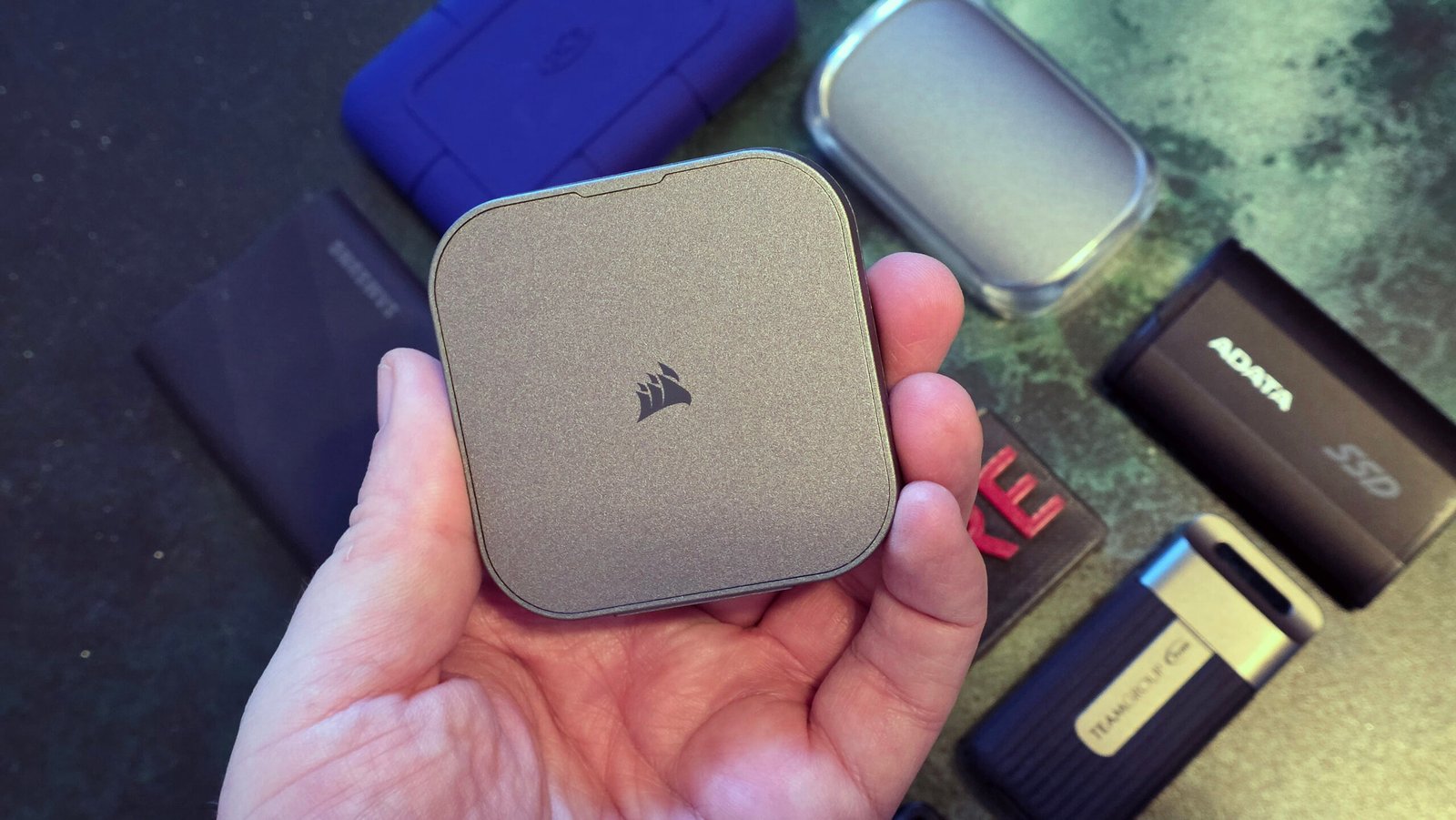
External storage has become genuinely essential again in 2026 — cloud storage costs keep climbing, and local backups remain the fastest, most reliable way to move large files or protect your data. Our Best USB-C Accessories guide covers the cables and hubs worth pairing with a new external drive.
In this article
- Why External SSDs Have Replaced External Hard Drives for Most People
- Understanding Interface Speeds Before You Buy
- Best for Everyday Backup and File Transfer
- Best for Video Editors and Creative Professionals
- Best Rugged / Durable Option
- Best Budget Pick
- Encryption and Security Features Worth Checking
- Common Buying Mistakes to Avoid
- The 3-2-1 Backup Rule Still Applies
- Portable vs Desktop External Drives
- How Long Do External SSDs Actually Last?
- Formatting Considerations for Cross-Platform Use
- The Bottom Line
Why External SSDs Have Replaced External Hard Drives for Most People
Solid-state external drives have dropped enough in price that they’ve become the default choice over traditional mechanical external hard drives for most everyday use — faster transfer speeds, no moving parts to fail from drops or bumps, and near-silent operation. Tom’s Hardware’s SSD reliability testing has tracked how far SSD price-per-gigabyte has fallen, closing much of the historical gap with mechanical drives.
- 100% free
- Call direct
- Voice search
- Urdu & English
Mechanical external hard drives still hold a real advantage in one area: cost per terabyte at very large capacities (8TB and above), where SSD pricing remains meaningfully higher. For bulk archival storage where speed doesn’t matter, a traditional hard drive can still make more financial sense.
 Also readScreen Flickering on Windows 11: 9 Fixes for Laptops and External Monitors
Understanding Interface Speeds Before You Buy
The connection interface matters as much as the drive itself. USB 3.2 Gen 2 tops out around 1GB/s in real-world use, while newer USB4 and Thunderbolt-equipped drives can reach 2-4GB/s or higher — but only if your computer’s port actually supports those faster standards. Buying a drive rated for speeds your laptop’s ports can’t deliver means paying for performance you’ll never actually experience.
Best for Everyday Backup and File Transfer
For general use — backing up photos, moving large video files, everyday portable storage — a compact USB 3.2 external SSD in the 1-2TB range hits the practical sweet spot of speed, capacity, and price. Our Best Power Banks 2026 guide covers a similar capacity-versus-portability tradeoff that applies directly to choosing external storage too.
Best for Video Editors and Creative Professionals
Video editing, especially with 4K or higher footage, benefits significantly from Thunderbolt or USB4 drives capable of sustained high read/write speeds, since editing directly off a slower drive causes stuttering playback and slow export times. Professional-grade external SSDs designed for this workload typically include better thermal management too, since sustained heavy read/write activity generates real heat that can throttle cheaper drives.
Best Rugged / Durable Option
For anyone working in the field — photographers, outdoor content creators, or just accident-prone users — ruggedized external SSDs with IP65 or higher water and dust resistance ratings, along with drop-shock protection, are worth the modest price premium over standard consumer drives. These are genuinely built to survive being dropped from a reasonable height or exposed to rain, which standard drives are not.
Best Budget Pick
Budget external SSDs have improved considerably, with 500GB-1TB drives now widely available at prices that would have only bought a mechanical hard drive a few years ago. The main compromises at this tier are typically slightly lower sustained write speeds during large, continuous transfers and less durable enclosure materials — both reasonable tradeoffs for casual users prioritizing cost.
Encryption and Security Features Worth Checking
For drives storing sensitive personal or business data, hardware-based encryption (rather than relying solely on software encryption) offers stronger security with less performance impact. Some drives include physical keypad authentication or fingerprint readers for an added security layer that doesn’t depend on your computer’s own encryption software. NIST’s guidelines on storage device encryption outline the technical standards worth checking if you need drives for genuinely sensitive or regulated data.
Common Buying Mistakes to Avoid
- Buying a high-speed drive without checking whether your laptop’s ports actually support that speed
- Assuming all drives labeled the same capacity perform identically — sustained write speeds vary significantly between models
- Ignoring drive warranty length, which often signals manufacturer confidence in long-term reliability
- Skipping backup redundancy — a single external drive is not a complete backup strategy on its own
The 3-2-1 Backup Rule Still Applies
Even the best external SSD shouldn’t be your only backup. The widely recommended 3-2-1 rule — three copies of important data, on two different types of storage media, with one copy stored off-site or in the cloud — remains sound advice in 2026. An external SSD is an excellent piece of that strategy, but relying on it alone leaves you exposed if it’s lost, stolen, or fails unexpectedly.
Portable vs Desktop External Drives
Beyond the SSD-versus-mechanical decision, external drives also split into bus-powered portable models (drawing power directly from your laptop’s USB port, no separate power adapter needed) and larger desktop external drives that require their own power supply. Portable drives sacrifice some maximum capacity and sustained speed for genuine convenience, while desktop external drives typically offer higher capacities and sometimes RAID configurations for redundancy, at the cost of needing a dedicated power outlet and staying in one place.
For anyone who travels frequently or moves between workspaces, a bus-powered portable SSD removes one more cable and power brick from your bag — a small but genuinely appreciated convenience for daily use.
How Long Do External SSDs Actually Last?
SSDs have a finite number of write cycles, though modern drives are rated for enough total data written (TBW) that typical consumer use rarely approaches that limit within the drive’s practical lifespan. Manufacturer warranties, typically ranging from 3 to 5 years depending on the model, are a reasonable proxy for expected reliability — drives with longer warranties generally reflect higher build confidence from the manufacturer. Backblaze’s drive reliability reports publish real-world failure rate data across thousands of drives, though their data leans toward internal drives used in server environments rather than portable external SSDs specifically.
Formatting Considerations for Cross-Platform Use
If you move a drive between Windows and Mac computers regularly, the default file system format matters — NTFS (Windows’ default) isn’t natively writable on Mac without additional software, while exFAT works natively across both platforms without that limitation. Formatting a new external drive to exFAT from the start avoids a common frustration for anyone working across both operating systems, though it’s worth noting exFAT lacks some of the security and permission features NTFS offers on Windows-only setups.
The Bottom Line
The best external SSD for you depends on matching drive speed to your actual computer’s port capabilities, and matching capacity and durability features to your real use case — video editors need sustained speed, field workers need ruggedness, and casual users mostly need reliable, affordable capacity. Whatever you choose, treat it as one part of a broader backup strategy rather than your only copy of important files. For more storage and accessory guides, browse our Gadgets & Accessories category.